Turn ideas into video.
Make anything dance.
Generate cinematic 1080p videos from text or images. Or upload a character photo and a dance reference — AI transfers the exact motion to your character. Up to 30 seconds.
Two powerful engines
Choose how you create.
Video Engine
Seedance 1.0
Generate cinematic 1080p videos from text prompts or images. Control camera angles, duration, aspect ratio, and style. Perfect for ads, social content, and creative projects.
Motion Control
Kling V3 Pro
Upload any character image — a cat, dog, cartoon, or person — and a dance reference video. The AI transfers the exact motion to your character. Up to 30 seconds.
How it works
Prompt it.
Configure it.
Download it.
No render farms. No timeline scrubbing. No experience needed. Describe your shot and Virallens handles the rest — straight from your browser.
Start Now →Describe your shot
Write a plain-English prompt — scene, mood, lighting, camera angle. Or upload a static image as the opening frame.
Dial in your settings
Choose duration (2–12 sec), aspect ratio (16:9, 9:16, 21:9), resolution, and camera motion. Lock the frame, add a pan, zoom in — or let the model decide.
Download & publish
Your native 1080p clip renders in ~60 seconds. Download instantly and publish anywhere — full commercial rights included with every credit pack.
Image → Video
Your still image,
now alive.
Upload any image — a Midjourney output, a product photo, a logo — and Virallens adds motion, physics, wind, and depth. Your composition stays intact; only life is added.
- Lighting & color grading preserved
- Cloth, hair & water simulation
- Character animation support
- Perfect for TikTok & Reels ads
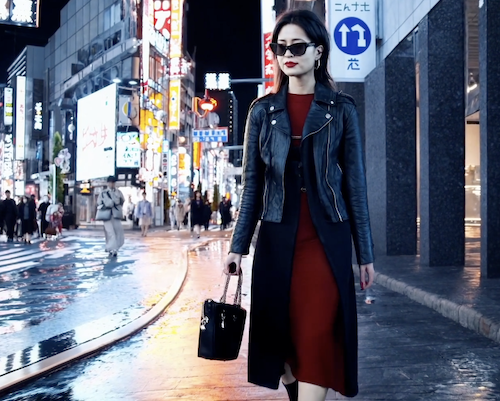
← drag slider to compare input vs output
Motion Control — NEW
Make any character
dance like a pro.
Upload a photo of a cat, dog, cartoon, or person alongside a reference dance video. Powered by Kling V3 Pro, the AI precisely maps every move — head turns, arm swings, footwork — onto your character.
- Works with animals, cartoons & people
- Up to 30 seconds per video
- Keep original audio or go silent
- Viral-ready 9:16 vertical format
- Email notification when ready
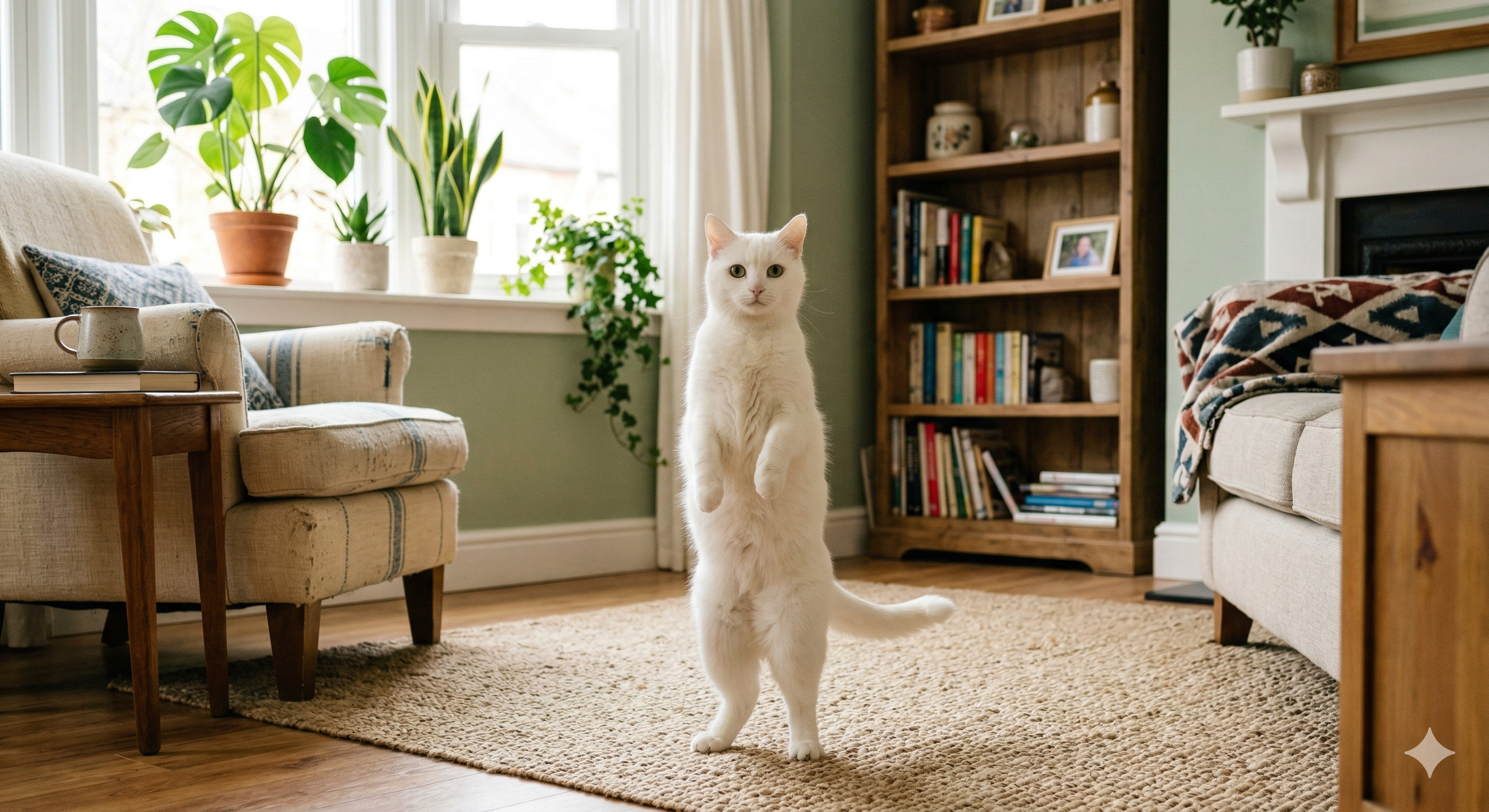
Before
Static Image
After
Dancing Video
Capabilities
Everything a creator needs.
Seedance 1.0 Engine
ByteDance's flagship model — enterprise-grade video generation used worldwide, now in your browser.
AI Motion Control
Upload a character + dance video. Kling V3 Pro maps every movement — head turns, footwork, gestures — up to 30 seconds.
Multi-Format Export
16:9 for YouTube, 9:16 for TikTok & Reels, 1:1 for feeds, 21:9 for cinematic widescreen.
Camera Intelligence
Fixed, pan, zoom, or handheld. You're the cinematographer — the engine follows your lead.
~60 Second Renders
No queues or overnight waits. A 5-second 1080p clip is done in roughly one minute.
Pay Once, Own Forever
Credits never expire. No monthly bill. Start at $4 and scale only when you need to.
Featured & trusted by creators at
Pricing
Simple. One-time. Fair.
Buy credits once. Use them for video generation or motion control. No subscriptions.
Video Engine
3 credits (≤5s) · 5 credits (5-12s)
Motion Control
5 credits (≤10s) · 10 credits (10-30s)
FAQ
Common questions
Video Engine: 3 credits for clips up to 5 seconds, 5 credits for 6–12 seconds. Motion Control: 5 credits for ≤10s, 10 credits for 10–30s. Packs start at $4.
Upload any character image (cat, dog, cartoon, person) and a dance reference video. The AI maps the exact movements onto your character — head turns, arm swings, footwork — producing a video up to 30 seconds.
Yes — full commercial rights are included with every pack. Use videos in ads, client work, social media, YouTube, or films.
Native 1080p (1920×1080). No upscaling. We also support 720p / 480p and multiple aspect ratios: 9:16, 21:9, 16:9, 4:3, 3:4, 9:21, and 1:1.
Video Engine: roughly 30–60 seconds. Motion Control: 3–5 minutes depending on video length. You'll get an email when your motion video is ready.
Never. Credits stay in your account indefinitely — no monthly reset, no expiry pressure.
Ready when you are
Your first viral video
is one prompt away.
No GPU, no editor, no prior experience. Generate cinematic videos or make any character dance — right from your browser.